Showing posts with label Acer Monitors. Show all posts

Monday, October 26, 2015

Acer's New Curved 34-Inch Predator X34 Gaming Monitor Is Stunning

Acer's Predator line of gaming monitors is receiving a unique new monitor in the form of the Predator X34, the first 34" curved monitor to feature Nvidia G-Sync. This monitor also comes with some pretty impressive specs that allow for fantastic graphics. Obviously the most notable thing is the Nvidia G-Sync, which is a display technology that eliminates tearing and screen stuttering during gameplay.


In addition to that, G Sync also improves input lag, meaning you can no longer complain about the lag killing you in Call of Duty. In addition to that, the monitor also has a 60Hz refresh rate that can be overclocked to 100Hz, which allows it to produce more frames per second and minimize motion blur.

The Predator X34 from Acer also comes with a QHD 3,440 x 1,440 pixel resolution IPS screen that has a 21:9 aspect ratio, which puts it in a practically new category for ultrawide monitors. According to Acer, this monitor also has 100% sRGB coverage, allowing for an accurate range of colors, and a 178-degree viewing angle.

If you want to get the absolute most comfort from your Predator X34's design then you will love the ergonomic options that are included. The monitor has the ability to tilt back 5 degrees and forward 35 degrees while the height can be adjusted up to 5 inches. If you want to wall mount this monster then you will like to know that the Predator X34 is VESA-compliant and comes with Acer's EyeProtect and ComfyView technology, which filter harmful blue light and reduce background reflections in order to lessen eye fatigue.


And while the curved design might appear to be just a fancy gimmick it's not, especially when it comes to gaming. For gamers, a curved screen provides an immersive experience that usually takes multiple monitors to recreate. The curve positions the edges of the screen in your peripheral vision, which simulates what it's like to see your real-life surroundings out of the corners of your eyes.

Even though this monitor is new, Acer is no stranger to curved monitors. Earlier this year the company announced the Predator Z35, a 35-inch curved monitor with Nvidia G-Sync along with a whole host of top-of-the-line gaming monitors. The Predator X34 is currently available in the United States via Acer's online store for $1,300. No pricing or availability have been announced for Europe or Australia, but expect the prices to be around £850 and AU$1,810, respectively.

Content originally published here
Sharing this story on Social Media? Use these hashtags! #Acer #PredatorX34 #GamingMonitors #CurvedMonitors

Tuesday, March 6, 2012

Acer's New S191HQL Ultra-Thin LED Monitor

Acer has just unveiled its newest product in terms of computer monitors with the brand new Acer S191HQL LED monitor. The S191HQL is an ultra-thin monitor complete with a space-saving design that makes it the ultimate desktop accessory. In addition to that, the S191HQAL guarantees high-definition image quality without breaking the bank.

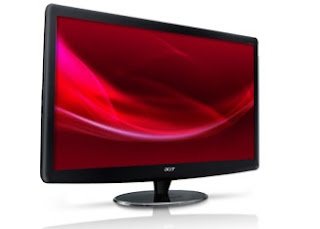
Due to its ultra-slim design, the Acer S191HQL is able to fit almost anywhere, saving you a ton of space while also giving you an aesthetically pleasing work environment. The monitor itself is an 18.5" LED display with a 1,366 x 768 resolution along with a 12,000,000:1 contrast ratio with 16.7 million colors.

The S191HQL also has a 170° height viewing angle and a 160° vertical viewing angle that was specifically designed for ease of uses and a decrease in eye strain. Acer's Adaptive Contrast Management (ACM) feature also helps optimize your contrast, allowing you to have the highest level of clarity and detail and adjusts images frame by frame to enhance picture detail and gradation.

The S191HQL is also energy efficient, consuming less power, thanks to its mercury-free LED backlight technology that minimizes harmful effects to the environment, consumes less power and is more durable than Cold Cathode Fluorescent Lamps or CCFLs. This results in bigger savings for you, something everybody is looking for nowadays.

No word on pricing or availability as of yet but stay tuned because as soon as those details hit, you will be able to find them here.

Source: mb.com - Amazing Ultra-Thin Acer Monitor

Tuesday, December 6, 2011

New 3D Monitor and Projector from Acer

Acer HR274HNew developments from the folks over at Acer as the company recently announced two new products capable of taking your boring old 2D content and converting it into exciting 3D! That is, of course, if you are into the whole 3D gimmick of late which many people seem to be. The two new products come to us as the HR274H 3D computer display and the H9500BD projector.

The HR274H 3D display has a neat Acer chip-based 3D conversion solution that allows you to transform any 2D media into 3D with absolutely no need of software. In addition to that, the display uses passive polarized glasses that are a lot cheaper than your more traditional active shutter 3D glasses.

The display itself measures 27" and also comes with a full 1,920 x 1,080 HD resolution, allowing you to have the brightest, most crisp 3D images for both viewing and gaming. The 3D chip technology also works with any video card you have in your computer, no matter the make, model or brand and ships with a single pair of the polarized 3D glasses. You will also find HDMI connectivity, further broadening the use of your display.

The H9500BD projector supports 3D technology from Nvidia and also converts 2D images to 3D automatically. The projector comes with full 1,920 x 1,080 HD resolution and projects images up to 300" large (diagonally, of course). The projector also uses DLP technology and has a 120Hz refresh rate. A 50,000:1 contrast ratio is in the specs, as is support for active shutter 3D glasses, 2,000 ANSI lumens of brightness and support for 16:9 and 4:3.

You can pick up both devices from Acer directly on the company's website with the HR274H display selling for $599 and the H9500BD projector selling for $1,999.

Source: Slash Gear - Acer launches new HR274H 3D computer display and H9500BD 3D projector


Find out what is going on in the Tech Army World.


What are the Top 10 Money Making Missions?

What other companies have joined and what do they do?

How do I join the
Tech Army Organization ?

Friday, July 10, 2009

Acer's G24 Gaming Monitor

Acer G24 Gaming MonitorIf you are in the market for a gaming monitor, then look no further than the Acer G24. The G24 is a decent 24-inch monitor that is perfect for gaming but not really much else. It has a bright, glossy, reflective screen with a smooth bright orange bezel. It has a 25 degree backward tilt which is basically the monitor's only ergonomic perk. The monitor also doesn't include screen height adjustment, pivoting or panel swiveling. It comes with three connection options which are DVI, HDMI and VGA which all support a 16:10 aspect ratio and 1,920x1,200-pixel native resolution. All of the connections are located on the back right side of the monitor close to the neck and are easy to access although some may complain that the HDMI slot is too close to the neck.

The display comes with a 14.2 inch wide base with two 7 inch long "toes" that extend from the neck at 45 degree angles. Due to the wide base and 16 pound weight, the monitor is fairly grounded producing minimal wobble when struck. However, if you do not like the foot stand or you prefer the wall mounted approach, then you can do so by utilizing the removable foot stand and the four screw holes to be used in conjunction with a VESA wall mount. The power button is represented by a small blue LED light in the bottom right-hand corner with the button directly underneath it. There are five buttons on the left side of the monitor which represent the monitor's left arrow button, right arrow button, menu button, auto button and an "e" button. The "e" button displays the available presets when pressed which include User, Standard, Movie, Text and Graphics. The main difference between these presets is their differences in brightness and color temperatures. The rest of the OSD includes color temperature controls, brightness and contrast.

Reports have come in, however, that trying to navigate the OSD is complicated and frustrating. The different categories on the OSD are not represented by words but rather symbols. Each symbol is aligned horizontally along two rows and can be navigated to by using the arrow keys on the front of the monitor. A symbol of a sun represents the controls for brightness and contrast which you can also get to by using the arrow keys. You select each option by pressing the menu button once you have highlighted the desired symbol which brings up another menu. From this point you chose one of two different options aligned vertically. Select the bottom option via the arrow and menu key, then use the arrow key and menu button again to select the brightness option and then use the arrow key again to select adjust your brightness. Most people find this method old fashioned and ultimately frustrating.

But where this monitor really excels at is games. The display's super-high-gloss screen and high brightness make games look really impressive. The high gloss really makes the colors pop and results in vibrant images. Games also feel a bit faster an more responsive then they do on some other monitors. For the optimal viewing angle you are going to want to be directly in front of the monitor about a quarter of the screen's distance down from the top. The Acer uses a TN+Film panel, which adds extra gloss to the screen. However, this extra gloss doesn't make well for using the monitor for non-entertainment purposes. Heavy backlight bleeding and reflections in the super glossy paneling make it hard to watch movies unless directly in front of the monitor. Like mentioned before, this monitor is great for gaming but isn't recommended for much else than that. You can get this monitor for a price somewhere between $359 to $399.