Monday, January 2, 2012

FedEx Driver Tosses Computer Monitor Over Fence

FedEx DriverI'm sure you have all heard the story by now. A man orders a computer monitor and has it delivered to his house by FedEx, only for the delivery man to carelessly pitch the extremely fragile piece of equipment over the customer's fence like it was a piece of trash. That's right, this driver, whom the customer had no choice but to trust with his package, just tosses the monitor right over the fence.

The video, which made its way around YouTube like wildfire, claims to be surveillance footage from the owner's house that captures the FedEx driver tossing the monitor. The poster of the video wrote, "Here is a video of my monitor being 'delivered'. The sad part is that I was home at the time with the front door wide open. All he had to do was ring the bell on the gate. Now I have to return my monitor since it is broken."

News of this obviously reached the heads of FedEx, especially after every single news station in the country was reporting on it and blasting the video all over t.v., and needless to say, they weren't happy with what they saw. The video itself has nearly 8 million views on YouTube and as for the driver, well, a FedEx spokeswoman put it lightly saying, "This won't be his best day."

I think the fact that the customer's door was wide open is the worst part. I mean, how lazy does the driver have to be if he won't even ring a bell and wait a few seconds for an answer? Oh, and this may be just me but it looks like the security camera is in plain view. I mean, did he not see it directly next to his face? Regardless, this is definitely not the proper way to deliver any package, let alone an expensive, breakable computer monitor. Thankfully, FedEx shipped another one to the customer, completely free of charge, and apologized immensely for the behavior of the driver. The video of the incident is below.


Source: CNET - Computer monitor tossed over fence by FedEx man


Put your eye on the problem with Camera Security Now, installing security cameras since 1999. We install in the US and we can help you do it yourself.


Call us toll free 877-422-1907 between 8am EST and 5pm PST M-F. Talk to an expert about your serious security camera needs.

Tuesday, December 20, 2011

AOC's New e2343Fi Monitor Doubles as an iPhone/iPod Dock

AOC e2343FiIf you are one of those people who is completely attached to your iPhone, you may want to listen up. There are some people out there that literally cannot live unless their iPhone is within their reach at all times, and those people, while being extremely clingy, now have a monitor that seems to be designed specifically for them. I'm talking about AOC's new e2343Fi computer monitor that comes complete with a specified iPhone dock built-in.

That's right, this 23" monitor comes with an iPhone dock built in and located directly under the screen on the device's base. The monitor itself looks pretty snazzy. The bezel is incredibly thin and the slick black frame makes it very easy on the eyes. As far as the dock is concerned, docking your iPhone onto your monitor will allow you to shoot videos and content directly from the phone to your monitor. In addition to that, the dock also uses SRS Premium Sound loudspeakers for superior sound quality.

The ability to shoot video directly to your monitor's screen and improve upon the audio quality transforms your standard computer monitor into a multimedia station for Apple enthusiasts. The good news is that the e2343Fi is also compatible with iPods as well, further increasing its functionality and usability. This device will be on show at next month's CES 2012 where AOC will also be displaying a new 23" 3D monitor as well as a mobile USB display. The USB display can work as a portable monitor or a digital picture frame, doubling its value as well. Unfortunately, there is no word at this time on pricing or availability.

Source: Slash Gear - AOC unveils new e2343Fi monitor with iPhone dock

SMBnow.com is news of, for and by SMBs!
SMBnow.com... The Small & Medium Business Magazine!

Tuesday, December 13, 2011

LCD Monitor Rentals

LCD Monitor RentalsThere are many reasons you may want to consider renting a computer monitor, especially if you are planning on traveling to a convention, trade show or conference. When traveling long distances, it is best to pack the least number of breakable or valuable things as possible. Everybody knows that airlines are not particularly gentle when hurling your luggage into the belly of a plane and we all know that it is extremely easy for somebody to lose your bag or for it to get stolen. The worst situation would be if any of these things occur while your expensive and valuable computer monitor is inside.
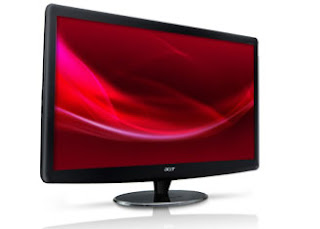
That is why Rentacomputer.com offers a full line of LCD Monitor Rentals to satisfy all your needs. Rentacomputer.com offers computer rental monitors from all of the top names in the industry, including Samsung, LG, Sony, Acer, Toshiba and HP. They also offer a plethora of sizes as well. Monitors come in varying sizes of 17", 18", 20", 24" and 32" for monitors and 30" to 39", 40" to 49", 50" to 59", 60" to 69" or a personalized size if you are interested in a plasma screen rental.

A Tech Travel Agent can set you up with any type of monitor you need in any size, from any manufacturer and in any quantity you need. The best part about renting from Rentacomputer.com is that you get local delivery and installation as well. Once you place your order, a certified professional engineer, installer or technician will come to wherever you need your monitor rental. Once there the technician will set up and install everything for you and will also test everything to ensure it is running as smoothly as possible. After you're finished, the same technician will take everything down and take it away for you, taking all the hassles of logistics off of your shoulders.

Renting a computer monitor is easy and it is only a phone call or a click away. All you have to do is visit Rentacomputer.com today and speak with a Tech Travel Agent and you are on your way to a great rental experience. Rentacomputer.com has been in the industry of computer and technology rentals for over 20 years, so you know you are going with a name you can trust.

Rack-Mount Server rentals are ideal if your company needs an extra storage unit for company information while you are testing various types of storage solutions.

Whether you need a short-term rental or a long-term lease, we have the right kind of server for your needs.

Tuesday, December 6, 2011

New 3D Monitor and Projector from Acer

Acer HR274HNew developments from the folks over at Acer as the company recently announced two new products capable of taking your boring old 2D content and converting it into exciting 3D! That is, of course, if you are into the whole 3D gimmick of late which many people seem to be. The two new products come to us as the HR274H 3D computer display and the H9500BD projector.

The HR274H 3D display has a neat Acer chip-based 3D conversion solution that allows you to transform any 2D media into 3D with absolutely no need of software. In addition to that, the display uses passive polarized glasses that are a lot cheaper than your more traditional active shutter 3D glasses.

The display itself measures 27" and also comes with a full 1,920 x 1,080 HD resolution, allowing you to have the brightest, most crisp 3D images for both viewing and gaming. The 3D chip technology also works with any video card you have in your computer, no matter the make, model or brand and ships with a single pair of the polarized 3D glasses. You will also find HDMI connectivity, further broadening the use of your display.

The H9500BD projector supports 3D technology from Nvidia and also converts 2D images to 3D automatically. The projector comes with full 1,920 x 1,080 HD resolution and projects images up to 300" large (diagonally, of course). The projector also uses DLP technology and has a 120Hz refresh rate. A 50,000:1 contrast ratio is in the specs, as is support for active shutter 3D glasses, 2,000 ANSI lumens of brightness and support for 16:9 and 4:3.

You can pick up both devices from Acer directly on the company's website with the HR274H display selling for $599 and the H9500BD projector selling for $1,999.

Source: Slash Gear - Acer launches new HR274H 3D computer display and H9500BD 3D projector


Find out what is going on in the Tech Army World.


What are the Top 10 Money Making Missions?

What other companies have joined and what do they do?

How do I join the
Tech Army Organization ?

Monday, November 21, 2011

Sony Introduces New PlayStation 3D Display

Sony PlayStation 3D Display
It is no surprise that Sony loves its 3D technology as the company keeps pushing the gimmick on its users year after year and touting the technology's "future potential". However, Sony has taken their love for 3D to the next level by creating a PlayStation-branded 3D computer monitor. This monitor is specifically designed to hook up to your PS3 with ease and guide you to 3D enjoyment and is aimed to be an ideal entry-level demonstration of the company's 3D technology.

The display itself is thin and light and extremely portable allowing you to take it almost anywhere. In addition to being easily portable, the device is easily assembled with an easy-to-install stand, showing that Sony definitely has usability as the focus. Connectivity is simple as well. You can connect the Sony PlayStation 3D Display to either a PS3 console or a PC via HDMI cable.

The display only has two USB ports and no TV tuner so you know that its intended purpose is to be a streamlined, user-friendly console display. There are also very few customization options once hooked up. You can switch between two 3D modes and there are also controls for channel and volume settings, all of which are situated behind the screen. In addition to that, there is no remote that comes with the monitor, which some users may find bothersome, especially considering the device has no standby mode and will need to be manually switched every time you want to use it.

The screen is highly reflective and presents a beautiful mirror image. It's almost needlessly glossy, much like Sony's PSP and while it looks good, you may want to reconsider playing it near any light sources. Be careful with touching the screen too as it seems like fingerprints are very likely to show up.

Once turned on you get a nice picture on the 240Hz LCD display with bright colors and a solid contrast and games look very good as well. As far as 3D goes, this device is decent though some games have a tendency to ghost pretty badly. This monitor supports Simulview, which uses the 3D glasses to have two players seeing entirely different things on the screen. Local co-op with two players is possible with each having the entire screen to themselves. How this works is beyond me but it sounds cool. Unfortunately, this only works on a handful of 3D Sony games.

$500 seems a little steep, especially considering there are a lot of other 3D monitors out there that are better and only slightly more expensive. However, the small size may be attractive for gamers with tight space who are looking for a fairly good 3D gaming monitor.

Source: Destructoid - Review: Sony PlayStation 3D Display

Rack-Mount Server rentals are ideal if your company needs an extra storage unit for company information while you are testing various types of storage solutions.

Whether you need a short-term rental or a long-term lease, we have the right kind of server for your needs.

Monday, November 7, 2011

HP Unveils New TouchSmart 620 All-in-One 3D PC

HP TouchSmart 620
There are a lot of innovations in the computer world these days, two of the biggest being 3D and all-in-one devices. On the one hand, you have the option of playing games and watching movies and content in full 3D quality, on the other you have the convenience of having your tower and monitor all rolled into one device, freeing up a lot of space in your office or at your desk at home. However, HP thinks that these two innovations should become one and has created a device to make that happen. Meet the HP TouchSmart 620 3D Edition.

The TouchSmart 620 3D Edition is a tower-free desktop that HP is adding to its already populated lineup of all-in-one PCs. This device is the love child of the HP TouchSmart 610 and a 23" 3D touchscreen monitor, and inside the rather bulky (for an all-in-one) 4.1" thick display you'll find a 3.1GHz Intel Core i5 processor, 8GB of memory, a 1.5TB hard drive, Blu-ray drive and an AMD Radeon HD 6650 (or 6670) graphics card. That is pretty good, especially if you consider the fact that the mid-range 6670 debuted in April and is capable of averaging frame rates in the low 30s on games like Crysis 2 on high settings in the device's native 1,920 x 1,080 resolution.

In addition to that, the TouchSmart 620 also keeps the flexible ergonomics of the TouchSmart 610. The screen is capable of swiveling up to 180 degrees and reclines up to 60 degrees (nearly flat), allowing you to have considerable leverage when moving things around to mitigate glare or other effects. Fire up 3D mode and you will be using software from TriDef designed to make accessing the 3D capabilities of the display more user-friendly.

The base model of the device, which will cost you $1,800, includes a dual-lens camera capable of grabbing 3D video as well as still shots, a TV tuner and also comes with a pair of active shutter glasses.

This isn't the first all-in-one PC to come with 3D capabilities, however. Sony, Lenovo, MSI and Asus have all debuted 3D all-in-ones as well. However, as far as pricing goes, the HP TouchSmart 620 is less expensive than Sony's Viao L-Series 3D Edition, which comes with an i7 processor and a 3TB hard drive for $2,300. On the other hand, the TouchSmart 620 is considerably more expensive than Lenovo's IdeaCenter B520 that offers an i7 processor and Nvidia GeForce GT 555M GPU for $1,300.

Nevertheless, people are, for some reason, obsessed with 3D these days, so this device will obviously find itself in more than a few homes, if only for the HP brand, not to mention the fact that this device is aimed at the holiday season. Whether or not people will care in a year or so is still up in the air.

Source: Techland - Hello, 3D PC! HP Unveils TouchSmart 620 All-in-One


Find out what is going on in the Tech Army World.


What are the Top 10 Money Making Missions?

What other companies have joined and what do they do?

How do I join the
Tech Army Organization ?

Monday, October 24, 2011

Toshiba Unveils the DX1215 All-In-One

Toshiba DX1215Reports are in on the new all-in-one DX1215 touchscreen from Toshiba and the reports are good. According to multiple reviews, Toshiba's DX1215 all-in-one has one of the best touchscreens on the market and the fancy wireless peripherals and amazing speakers give you a fairly decent all-in-one multimedia device. The only thing lacking is the mobile processor.

For $934 you can get the DX1215 with a second-generation Intel Core i5-2410M processor which, surprisingly enough, is a laptop processor as opposed to a desktop processor, as well as built-in HD graphics. In addition to that you also get 4GB of RAM, a 1TB hard drive and built-in WiFi and Bluetooth. The DX1215 also runs a 64-bit version of Windows 7 Home Premium as an operating system.

The 21.5" touchscreen is extremely pleasing aesthetically, being very bright with excellent color representation and excellent contrast. The touchscreen is also one of the most responsive and most accurate touchscreens on the market. The glossy screen surrounded by a thin, shiny black bezel, has a native 1,920 x 1,080 resolution, making all of your HD pictures and videos really pop. Picture quality is clear and crisp though the viewing angels could be better as the screen gets significantly darker the more you move to either side.

Multitouch works impeccably and there is almost no lag whatsoever, which definitely makes the experience so much more enjoyable. Unfortunately, Toshiba has yet to fully optimize the DX1215's version of Windows 7 for touchscreens, so you may run into some trouble using some regular apps, like Internet Explorer, right out of the box. Thankfully this is something that can be easily calibrated, even though it is an odd problem to have considering how much time Toshiba spent on the actual screen.

As far as performance, the DX1215 could be better, especially considering its position as a budget all-in-one. The device only gets a WorldBench 6 benchmark score of 115, though that isn't too surprising considering the mobile processor. Graphics performance isn't anything to blow your mind either. However, the DX1215 did perform better than some other devices for around the same price. The DX1215 relies on Intel's integrated HD graphics with a frame rate of 45.8 fps.

Overall the DX1215 from Toshiba is stylish with some sleek peripherals and an awesome touchscreen and speakers. However, it isn't the best when it comes to performance and the software isn't top-of-the-line either. A lot of unnecessary software and an interface that isn't optimized for a touchscreen are definitely some major inconveniences but not necessarily a deal breaker for most.

Source: PC World - Toshiba DX1215


Put your eye on the problem with Camera Security Now, installing security cameras since 1999. We install in the US and we can help you do it yourself.


Call us toll free 877-422-1907 between 8am EST and 5pm PST M-F. Talk to an expert about your serious security camera needs.